





InSyte: Sales Order Automation
From customer PO to your Infor ERP, with every price checked before the order exists. InSyte reads the PO as it arrives, prices each line the way SyteLine would, creates the order, and holds anything that doesn't match for your team's review.
Request a Demo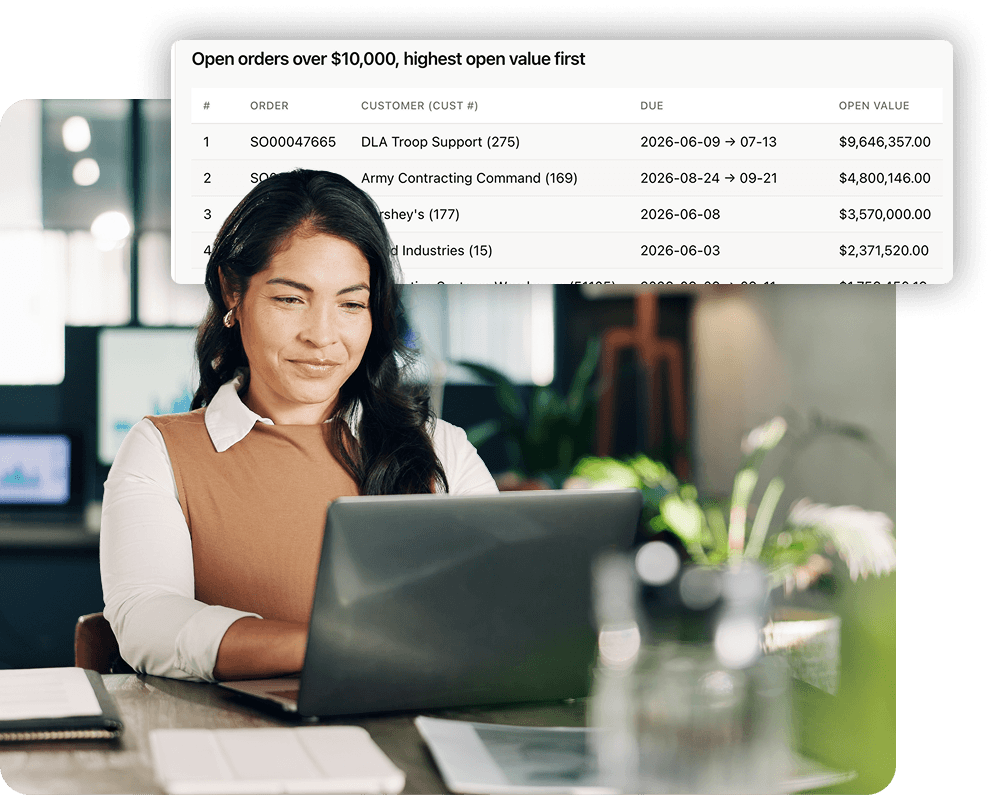
From Customer PO Email to SyteLine Order
Today, customer purchase orders are opened, reviewed, translated into ERP part numbers, checked against pricing, and manually entered as sales orders. InSyte automates that process by reading incoming POs from customer emails and extracting customer, ship-to, item, quantity, date, and pricing details. Each line is validated against SyteLine records and pricing rules. Any discrepancies are flagged for your team to review and resolve before processing. Once validated, clean orders can be created with one click.
Automate Your Quoting & Order Process
InSyte automates customer order entry and quote processing in SyteLine. InSyte reads incoming customer POs, validates order details and pricing, creates customer orders or estimates, and sends acknowledgements. When an order needs attention, InSyte provides an explanation so your team can review the issue and approve or reject the proposed changes.

 Receive Customer Orders
 Extract Order Details
 Validate Pricing and Resolve Exceptions
 Create Orders and Send Acknowledgements
Customer POs and quote requests arrive by email in any format, including PDFs, Word documents, and the text in the body of your emails.

InSyte identifies the customer, ship-to address, PO number, items, quantities, requested dates, and prices. It matches part numbers and units of measure against your ERP data without customer-specific templates.
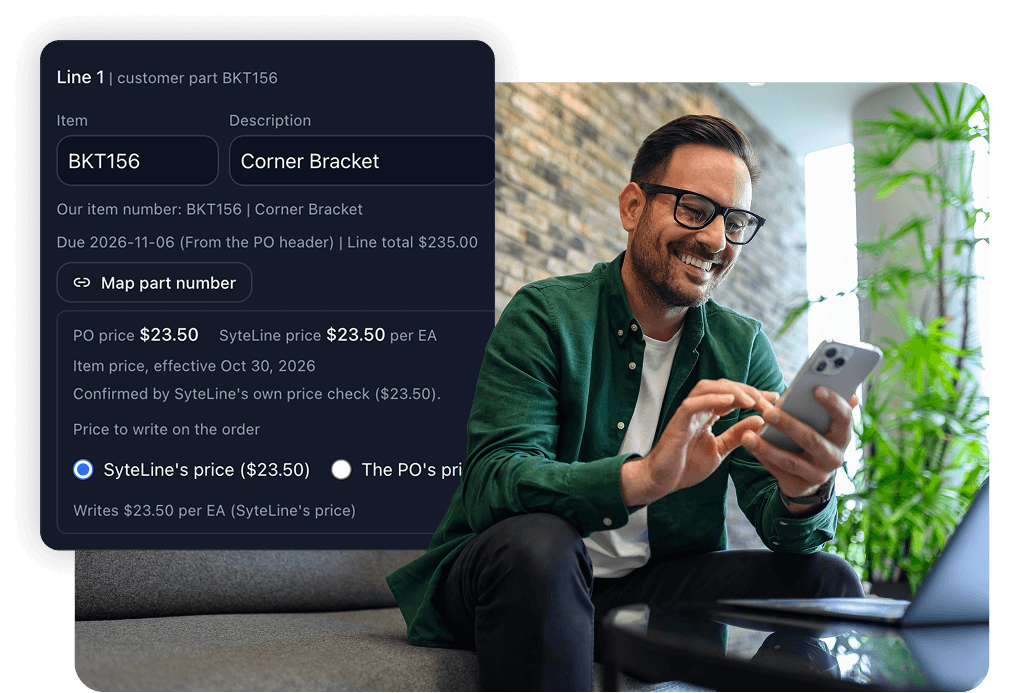
Order line prices are checked against your ERP's pricing before order creation. You have the option to include an approval process. Pricing discrepancies, unknown items, and missing information are flagged for your team to review.
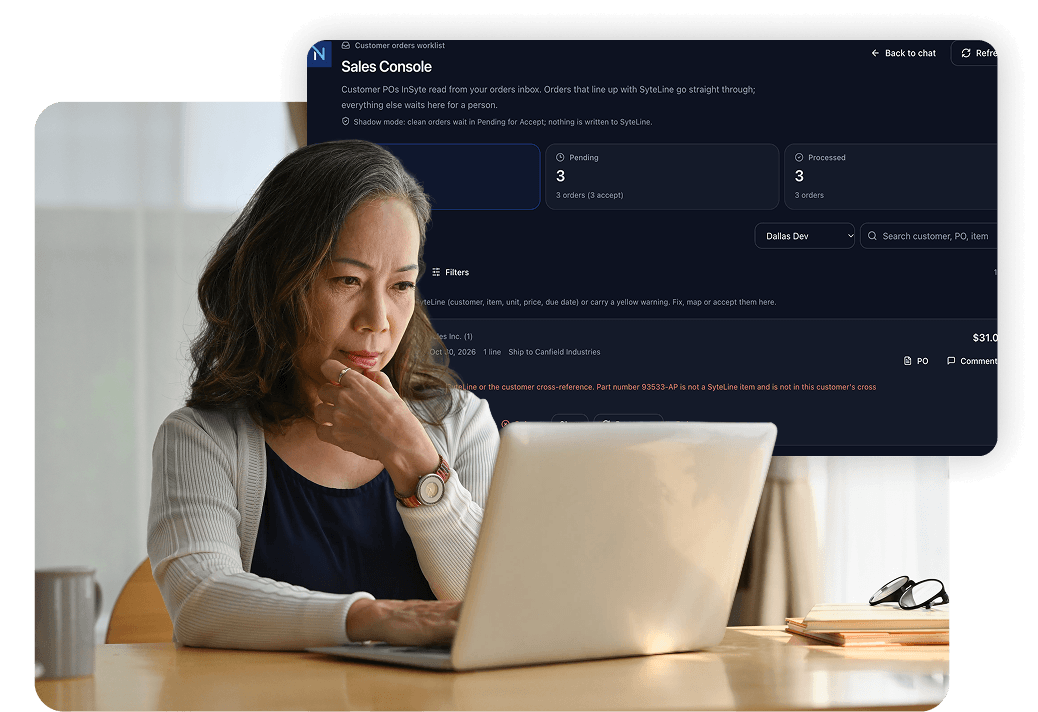
Once an order meets your requirements, InSyte creates it in your ERP and sends an acknowledgement according to your workflow rules. Quote requests follow the same process to create ERP estimates.
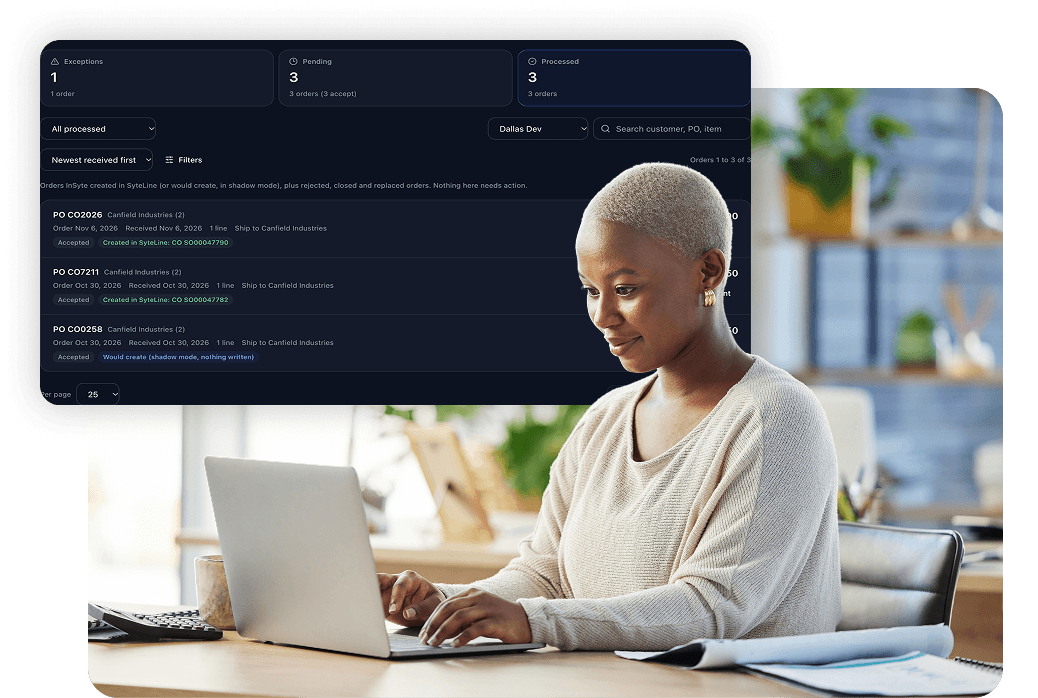
InSyte Simplifies Order Entry
-
Catch Pricing Discrepancies Early
InSyte checks order line prices against SyteLine pricing before creating the order. If a customer’s requested price doesn’t match, the discrepancy is flagged for review before the order proceeds.
-
Handle Different Customer PO Formats and Part Numbers
Customers don’t all submit orders the same way or use the same part numbers. InSyte reads supported document formats and order details in email text without requiring predefined templates or customer-specific field mapping. When your team matches a customer’s part number to one of your items, InSyte saves the cross-reference in SyteLine so future orders match automatically.
-
Manage Exceptions in One Place
See which orders need attention and why. Review pricing discrepancies, unknown items, and missing information so your team can resolve issues without re-entering the entire order. Possible duplicate orders and customers on credit hold are flagged for review.
-
Keep Customers Informed Automatically
Send order acknowledgements based on your workflow rules, confirming key order details such as quantities, prices, and requested dates. Orders that require review can be held for approval before the acknowledgement is sent.
Product Brochure: Sales Order Automation
Learn how InSyte processes customer POs, validates pricing, creates SyteLine orders, and sends customer acknowledgements.
Frequently Asked Questions
What is Decision InSyte?
InSyte by Decision Resources is a platform of AI agents that support your routine ERP work within Infor SyteLine or CloudSuite Industrial.
Think of it as a co-worker that supports your team by automating work and improving accuracy and efficiency.
InSyte reads emailed invoices and customer POs, checks them against your ERP, creates the vouchers and orders, and answers questions from live ERP data, all under the rules and approvals you set.
InSyte was built on 40+ years of manufacturing experience and a deep understanding of Infor SyteLine and CloudSuite Industrial.
Which ERP systems does Decision InSyte work with?
InSyte is developed for Infor CloudSuite Industrial and Infor SyteLine version 9.01 and later.
What is InSyte Sales Order Automation?
InSyte Sales Order Automation is a workflow in the InSyte Platform that automates customer order entry for manufacturers on Infor SyteLine. It reads customer POs that arrive by email, checks each price against your SyteLine pricing, creates the customer order and sends the order acknowledgement. It handles quotes the same way.
Do we need templates for each customer?
No. InSyte reads each customer’s PO the way it arrives and matches their part numbers and units of measure to your items. Orders typed in the email body work the same as PDF and Word attachments, so customers keep ordering the way they do today.
What information does InSyte pull from a customer PO?
InSyte finds the customer, ship-to address, customer PO number, items, quantities, requested due dates and prices, then creates the customer order and its lines in Infor CloudSuite Industrial or SyteLine. It matches the customer’s part numbers and units of measure to your items, so “DZ” on their PO becomes “DOZ” in your system.
What if the customer’s price doesn’t match ours?
The order stops for review with both prices side by side. InSyte prices each line as if your team keyed it by hand, using your customer pricing. Mismatches are caught before the order exists, not after the invoice goes out.
What happens to orders that need a decision?
Orders that check out are created in SyteLine with one click, or automatically if you turn that on. Price mismatches, unknown parts or units, and missing information land in one review queue with a plain-English reason, and someone approves or rejects the change in one click.
Can we review orders before acknowledgements go out?
Yes. InSyte sends an order acknowledgement confirming the due date, quantity and price, and your rules decide when it goes automatically and when someone reviews it first. You can set those rules by customer or by product.
Does InSyte Sales Order Automation handle quotes too?
Yes. Requests for quotes come in the same way and become Infor CloudSuite Industrial or SyteLine estimates, with the same pricing checks and the same review queue. Customer orders and quotes are covered by one solution.
Where does the customer’s original PO end up?
The original document is attached to the customer order in Infor IDM. Every edit, approval and acknowledgement is logged.
How is InSyte priced?
One annual platform license. One license covers your whole team, so add approvers and reviewers as you need them. Contact Decision Resources for an itemized quote.
How is InSyte different from just connecting an LLM to Infor SyteLine or CloudSuite Industrial directly?
Connecting an LLM directly to your ERP may give you a starting point, but it doesn’t give you a complete, secure solution for working with ERP data and processes. InSyte is purpose-built for SyteLine and CloudSuite Industrial, with the following advantages:
- Built-in ERP knowledge: InSyte has thousands of SyteLine IDOs already mapped, saving months of development work. It uses SyteLine’s own business logic to interact with your ERP rather than bypassing it with direct database writes.
- Security and user-level permissions: InSyte respects each user’s existing SyteLine permissions, so users can only access the data they’re authorized to see. Administrators can also control access to InSyte modules, such as AP Automation, on a user-by-user basis.
- Controlled ERP changes: Users can review and confirm changes before they’re committed to the ERP. Every change is logged, and administrators control write access down to the individual IDO.
- Managed AI usage and costs: InSyte is optimized for token efficiency, with visibility into consumption by user and the ability to set individual usage limits.
- Ready-to-use functionality: InSyte includes built-in workflows like AP Automation and Sales Order Automation. Customers are already processing real invoices through the platform. You’re getting working business applications, not just an AI connection that still needs to be developed into a solution.
In short, InSyte brings together the ERP knowledge, security, controls, and ready-to-use functionality needed to put AI to work in your everyday business processes.