





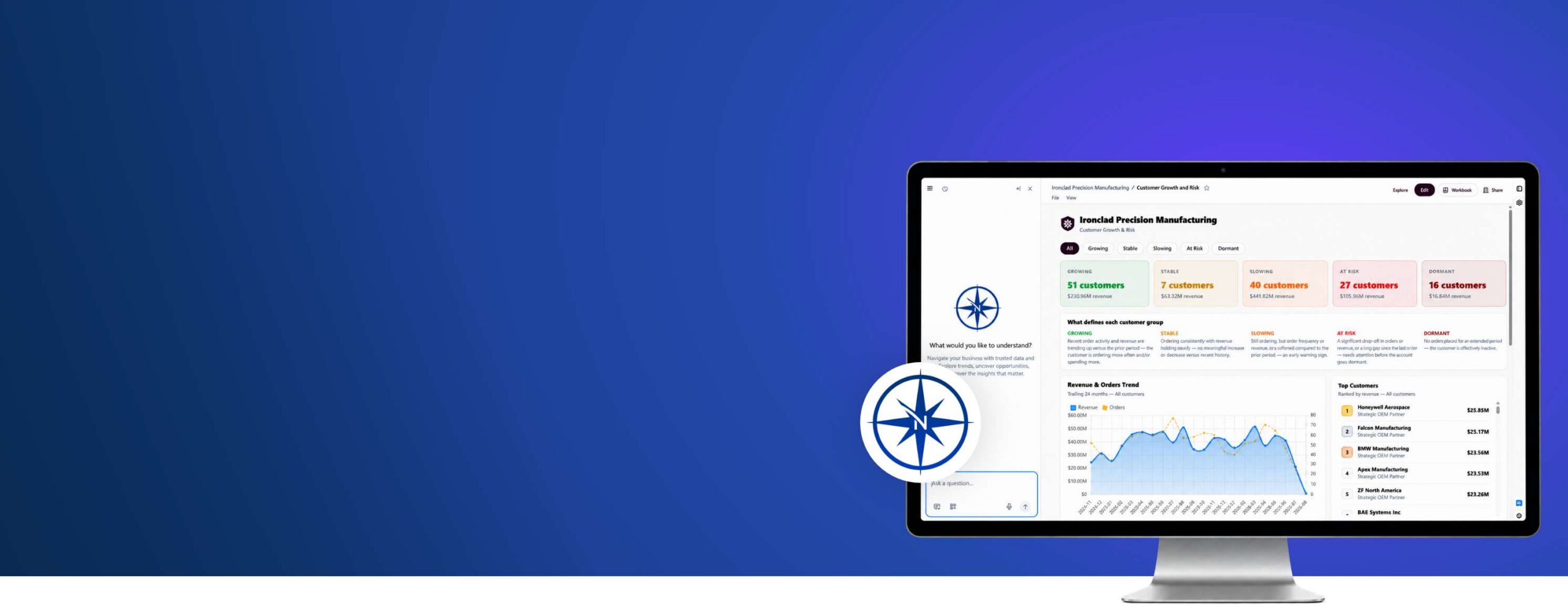
Decision Navigator
Decision Navigator is a trusted AI analytics platform that combines your curated data, business-specific context, and conversational AI to better help you understand your business and make informed decisions.
Request a Demo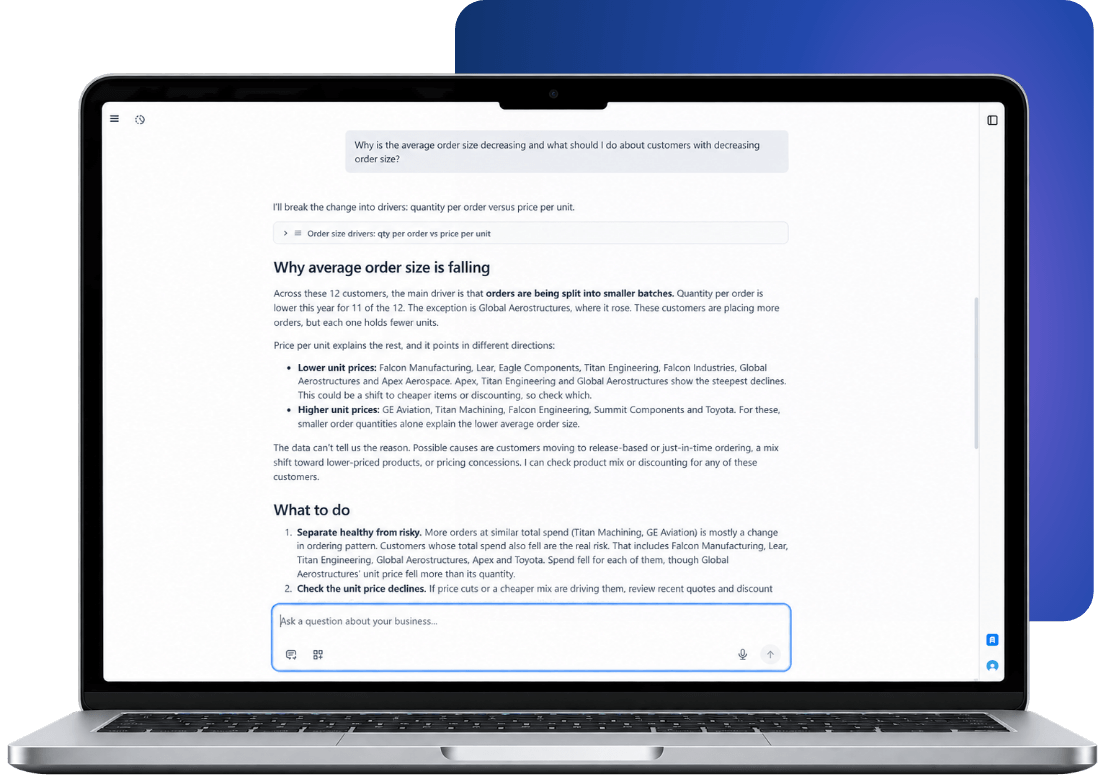
Dashboards show what happened. Leaders need to know why.
Most analytics tools can tell you what sales were last month. But understanding what’s driving the business requires deeper questions:
- Which customers have increasing order volume but decreasing average order size?
- Why is average order size decreasing, and what should I do about customers with decreasing average order size?
- Why is my largest customer’s orders declining?
In reality, these questions rarely have a one-step answer. Solving these questions requires looking across your data, following the analysis, and connecting the details that explain what’s happening.
Decision Navigator: A New Way to Work With Your Data
Decision Navigator gives you one place to work with data from across your business, including Infor CloudSuite Industrial, SyteLine, and other systems. Ask complex business questions, explore the details behind the answers, build interactive dashboards and data apps, and share what you find with your team.

 Ask
 Explore
 Build
 Share
Ask complex business questions that require multiple layers of analysis. Decision Navigator connects the dots across your data to surface relevant information and explain why results look the way they do.

With one click, switch to workbook mode and explore the results without leaving the conversation. Chat stays available as you work, so you can ask follow-up questions and get AI-recommended formulas for further analysis. Every conversation includes a workbook, enabling quick and transparent access to your underlying data.
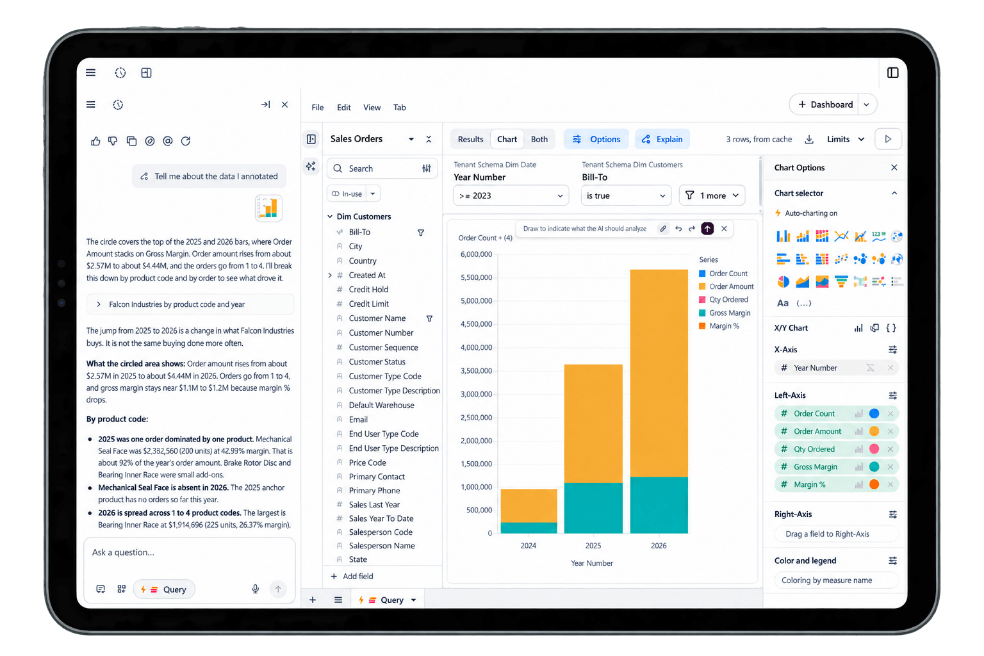
Turn what you find into interactive data apps, executive summaries, and action items. Describe what you need and Decision Navigator’s AI builds it for you, so you can quickly turn your analysis into something your team can use. Saved dashboards are continuously updated with the data from the latest sync.

Share the dashboards and data apps you build with your team, get alerts when data changes, and schedule dashboards, PDFs, and files for delivery by email or SFTP. Decision Navigator also provides view-only users.


How Decision Navigator Delivers Answers You Can Trust
Generic AI often guesses at metrics, calculations, and terminology. How can you confidently run your business if you can’t trust the numbers?
Decision Navigator starts with a deeper understanding of your business. It prepares data from your ERP and other sources for AI, then applies your business definitions, metrics, and rules. AI agents use that context to connect information and deliver insights you can trace back to the underlying data.

Upcoming Webinar: See Decision Navigator in Action
Decision Navigator Product Guide
Navigator FAQs
What is Decision Navigator?
Decision Navigator is an AI analytics platform built for manufacturing leaders. It combines curated, AI-ready data with reasoning agents so users can move from raw data to a decision without needing a dedicated data analyst. Unlike a standard dashboard, which reports what happened, Decision Navigator is designed to explain why it happened by letting users ask follow-up questions and drill into the underlying data.
Who is Decision Navigator built for?
Decision Navigator is built for manufacturing executives, managers, and every business user, not just analysts.
How Does Decision Navigator Work?
Decision Navigator uses a proprietary data connector to extract data from your ERP. The data is loaded into a Snowflake cloud data warehouse where it is curated, refined, and prepared for AI analytics. Decision Navigator leverages powerful large language models from leading providers to empower end-users to explore data and develop data apps.
Does Decision Navigator support both cloud and on-premise environments?
Yes, both cloud and on-premise systems are supported. The ERPs currently supported are Infor CloudSuite Industrial, SyteLine v10, and SyteLine v9.01+.
How often is data refreshed?
Data refreshes twice daily.
Is there a limitation on the amount of historic data I can use?
No, Decision Navigator offers unlimited data history.
How long does Decision Navigator take to implement?
Implementation timelines vary by requirements, however, the typical implementation is 1-3 weeks.